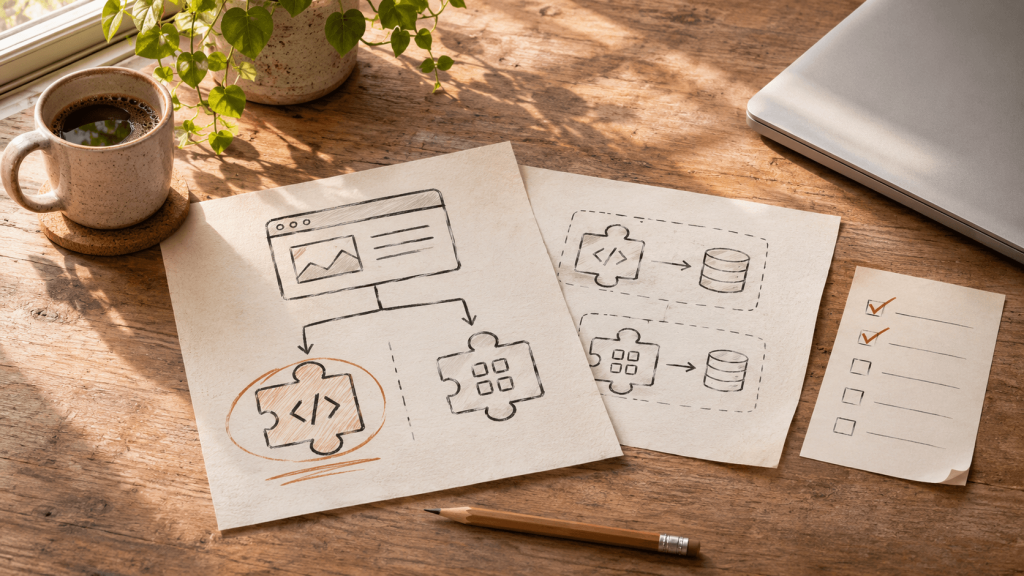
Custom WordPress plugin development can solve a distinctive workflow, while an existing plugin may cover a common task faster. The right choice depends on fit, risk, and maintenance cost. An off-the-shelf plugin can solve a problem in an afternoon, but it can also turn one small requirement into a stack of dependencies and workarounds.
Here is a decision process you can use before buying another plugin or commissioning a build.
Write down the job before comparing products
Describe the task in one sentence: “When a customer submits a warranty claim, our team must validate the serial number, notify the right person, and keep an audit trail.” Then list the inputs, outputs, users, integrations, and failure cases.
This matters because a feature checklist can hide the hardest requirement. Two plugins might both say “form integration,” but only one can send the exact data your operations team needs. If a workaround requires staff to copy information between systems every day, include that labor in the cost comparison.
When an existing plugin is the right choice
Start with an established plugin when the job is common, the required behavior is already available, and the product has a credible maintenance record. Examples include routine forms, backups, and basic editorial features. Review recent updates, compatibility information, documentation, support, and the permissions or data the plugin needs.
Test the shortlist on a staging copy. Run the main workflow and the unpleasant cases: invalid input, duplicate submissions, expired sessions, and a failed integration. Also test alongside your theme and other critical plugins. A product that works in a demo may conflict with the site you actually run.
When custom plugin development earns its cost
Custom WordPress plugin development is usually justified when your process is distinctive, several systems must exchange data, access rules are specific, or a generic plugin requires substantial ongoing workarounds. A custom plugin can keep business logic separate from the theme, so a redesign does not also become a workflow migration.
The build still needs an owner. Budget for documentation, testing, WordPress compatibility, security review, and updates. “We own the code” is useful only if someone can maintain it.
For actions that change data, a sound implementation checks user capabilities, validates input, protects requests, and escapes output. A WordPress nonce helps protect a request, but WordPress explicitly says it is not an authorization check.
Compare the full cost over two years
Use a simple worksheet with five lines: setup, licenses, configuration or build, staff time spent on workarounds, and maintenance. Then add the cost of failure. What happens if a payment, approval, or customer record is wrong for a day?
If an existing plugin covers the workflow cleanly, use it. If you are bending operations around a plugin, document the gap and price a focused custom build. A small plugin that does one job reliably often beats a large system with dozens of unused features.
A practical next step
Take one real workflow and map it from trigger to outcome. Mark every manual handoff and exception. That gives a developer enough context to estimate the work and gives you a fair basis for comparing products.
Elevoire builds and maintains custom WordPress plugins and publishes WordPress tools. If your shortlist keeps failing the same requirement, show us the workflow.
Editor note: Add one genuine, permission-safe Elevoire example showing the requirement, the off-the-shelf gap, and the final decision before publishing.